Two strings can look identical and produce different counts. Two titles can contain the same number of code points and occupy very different amounts of horizontal space. A joined emoji can look like one symbol while containing several Unicode code points.
That is why a useful text counter must say what it measures. There is no single number called "the character count" that answers every database, interface, SEO, or language-model question.
The text-length metrics compared
| Metric | What it measures | Useful for | Does not tell you |
|---|---|---|---|
| Unicode code points | Assigned Unicode values | Transparent general-purpose counting | How many symbols a person perceives |
| UTF-16 code units | Storage units used by JavaScript strings and some APIs | Matching a system that specifies UTF-16 length | Grapheme count or rendered width |
| Extended grapheme clusters | Approximate user-perceived characters | Cursor movement and user-facing limits | Bytes, pixels, or model tokens |
| Bytes | Encoded storage size, commonly UTF-8 on the web | Protocol and storage limits | Visual length |
| Pixels | Rendered width in a particular font and layout | Interface previews and overflow estimates | A universal search-result cutoff |
| Words | Segments treated as words by a defined method | Editorial length and readability workflows | Tokens or visual width |
| Tokens | Units created by a specific tokenizer | Model context and API budgeting | Characters, words, or crawl behavior |
The Unicode Text Segmentation specification, UAX #29, defines default boundaries for grapheme clusters, words, and sentences. Applications can tailor those rules, so even a technically valid segmenter should document its behavior.
What TomSEOTools Character Counter counts
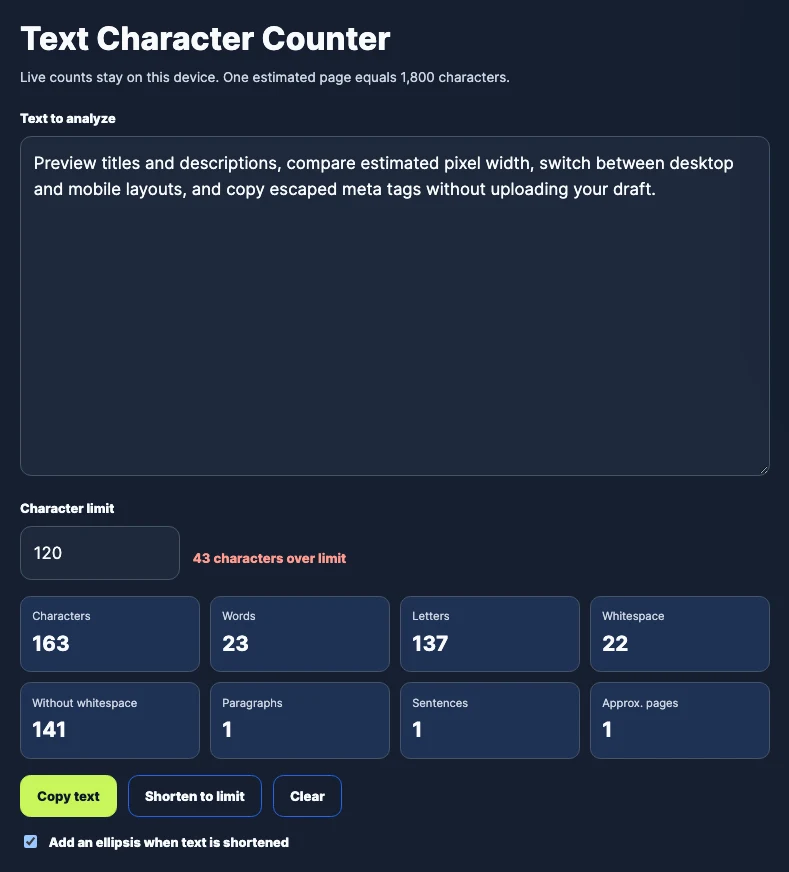
The current TomSEOTools Character Counter counts Unicode code points using JavaScript iteration over the string. This avoids treating a supplementary-plane character as two UTF-16 code units, but it does not claim to count extended grapheme clusters.
That distinction matters:
- a basic Latin letter normally contributes one code point;
- a precomposed accented letter can contribute one code point;
- a decomposed accented letter can contribute two code points;
- a joined emoji can contribute several code points while appearing as one symbol.
Spaces and line-break characters are included in the main count. The tool also reports a separate count without whitespace. Its word, sentence, and page values are documented editorial estimates, not language-independent facts.
Reproducible Unicode examples
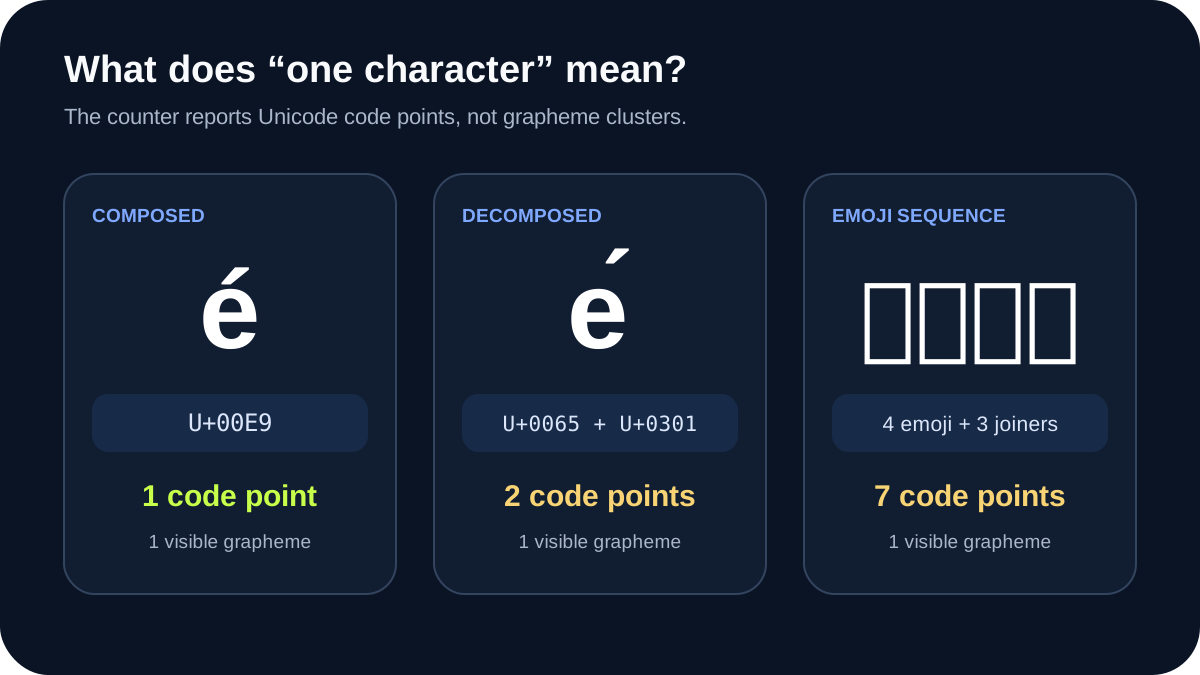
Copy the examples into the Character Counter and compare the visible text with the reported code-point count.
Precomposed and decomposed e-acute
The visible letter é can be represented as:
- precomposed
é: U+00E9, one code point; - decomposed
é: U+0065 followed by U+0301, two code points.
Both normally form one extended grapheme cluster. They may look identical in the browser, but a code-point counter correctly returns different values. Unicode normalization can convert between equivalent representations in some workflows, but a counter should not silently rewrite the user’s input.
A joined family emoji
The emoji 👨👩👧👦 appears as one family symbol on platforms that support the sequence. It contains four person emoji joined by three zero-width joiners: seven code points in total, but normally one extended grapheme cluster.
Rendering can vary with the font, platform, and emoji support. The underlying sequence remains important even if a system displays the components separately.
Whitespace and line endings
Whitespace is data. A normal space, tab, non-breaking space, carriage return, and line feed are distinct code points.
A Windows-style CRLF line ending contains two code points: U+000D and U+000A. UAX #29 treats the pair as one grapheme boundary unit for segmentation, but a code-point counter reports two. This is not a bug; the tools answer different questions.
Equal counts do not mean equal pixel width
Compare these two 23-code-point strings:
iiiii iiiii iiiii iiiiiWWWWW WWWWW WWWWW WWWWW
They have the same code-point count, including spaces. In most proportional fonts, the line made from W occupies considerably more horizontal space than the line made from i.
The exact difference depends on the font, font size, weight, kerning, browser, and rendering environment. This article therefore does not attach an invented pixel measurement to the example. Paste both strings into the TomSEOTools SERP Preview to compare them under the tool’s documented width estimate.
Why SEO character limits are only shortcuts
Google does not promise a universal character count at which every title link or snippet will be truncated. Its title-link documentation explains that title links are generated automatically from several possible sources, including the <title> element and visible page headings. Google can change the displayed title when its systems select another source.
Google’s snippet documentation says snippets are primarily created from page content and may use the meta description when it better describes the page. It also states that there is no limit on the length of a meta description, although the displayed snippet is truncated as needed to fit device width.
A character count is still useful as a quick editorial signal. A pixel-width estimate is more relevant to a visual preview. Neither can guarantee what Google will show for every query, device, or search context.
Characters are not tokens
Language models apply model-specific tokenizers. A token may represent a whole word, part of a word, punctuation, whitespace, or another byte sequence. Changing the model or tokenizer can change the result without changing the visible text.
Use the TomSEOTools LLM Token Counter for a transparent range estimate when planning prompts. It deliberately does not claim to reproduce every provider’s proprietary tokenizer. Use the provider’s official tokenizer when an exact API-specific billable count is required.
Which metric should you choose?
- Use code points when you need a transparent Unicode-aware general count.
- Use grapheme clusters when the limit should match user-perceived symbols or cursor movement.
- Use UTF-16 code units only when an API or storage system explicitly defines length that way.
- Use bytes for encoded storage and network limits.
- Use rendered width for layout and preview work.
- Use the relevant tokenizer for an exact model-specific token count.
- Record normalization, font, tokenizer, and segmentation assumptions when they affect the result.
What these measurements cannot prove
- A well-sized title is not guaranteed to become Google’s title link.
- A meta description within a preferred width is not guaranteed to become the snippet.
- A code-point count does not measure writing quality, search intent, or accessibility.
- A grapheme count can vary when an implementation tailors Unicode’s default rules.
- A pixel estimate does not reproduce every search interface, browser, or font.
- An approximate token range does not reproduce a specific model tokenizer.
Frequently Asked Questions
Does a character count normally include spaces?
That depends on the tool’s definition. TomSEOTools includes whitespace in the main code-point count and provides a separate value without whitespace.
Why can one emoji count as several characters?
What looks like one emoji can be a sequence of base emoji, modifiers, variation selectors, and zero-width joiners. A code-point counter reports the underlying values; a grapheme segmenter attempts to report the user-perceived symbol.
How many characters should an SEO title contain?
There is no universal count that guarantees a particular display. Write an accurate, concise title, put its differentiating information early, and review both the text and estimated rendered width.
Should a counter normalize Unicode before counting?
Not silently. Normalization changes the underlying sequence and therefore the result. A tool can offer normalization as an explicit option, but it should show the user what changed.
Sources and Review Date
- Sources reviewed on 19 October 2026.
- Unicode Standard Annex #29: Unicode Text Segmentation – default grapheme-cluster, word, and sentence boundaries.
- Google Search Central: Influencing title links – sources and conditions used when Google generates title links.
- Google Search Central: Control your snippets – how snippets are generated and why displayed meta-description length is not fixed.
How this guide was prepared: Gemini produced the initial draft using the TomSEOTools Content Editor Gem. The TomSEOTools maintainer verified the tool’s counting implementation, corrected a false equal-length example and unsupported display claims, reviewed the cited primary sources, and retained responsibility for the final draft.