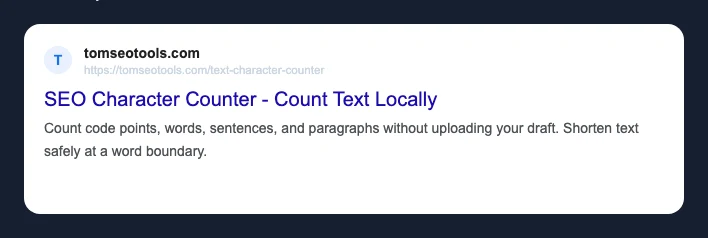
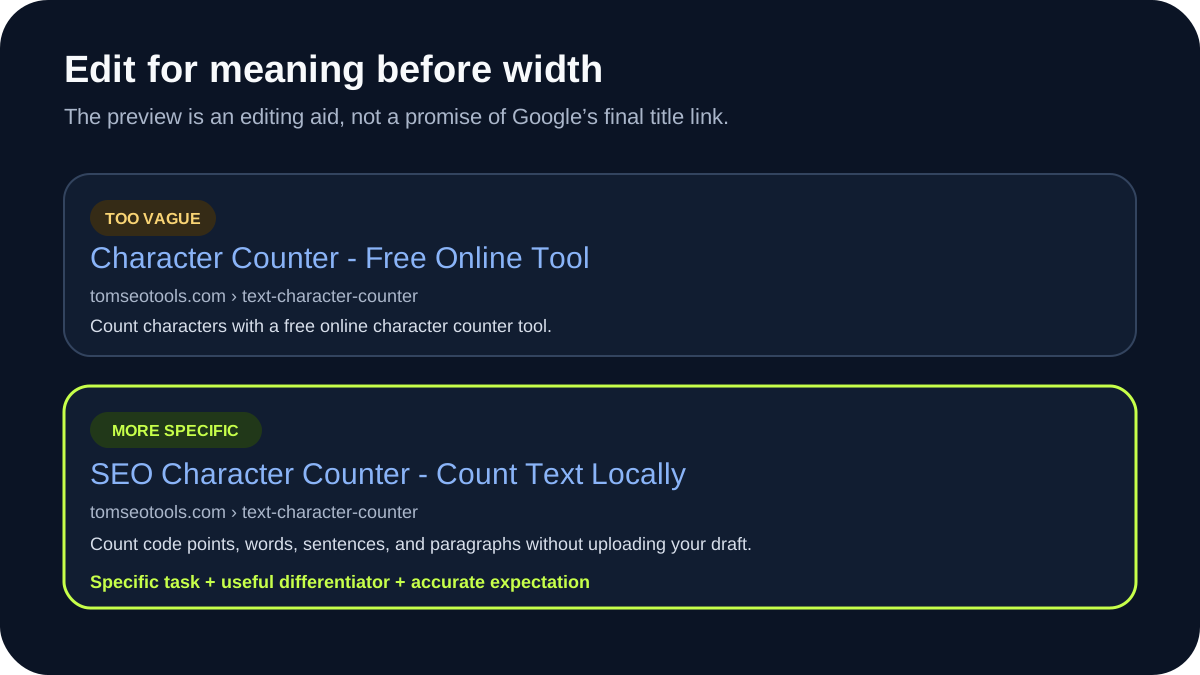
A SERP preview helps you review a proposed title and description before publishing. It can estimate rendered width, expose missing or overly long copy, and show how the elements work together. It cannot guarantee the title link or snippet that Google will display for a particular query.
That difference matters because the HTML you provide is input to Google’s systems, not a fixed search-result template.
Four terms that should not be confused
HTML title element
The <title> element is metadata in the page’s HTML. It identifies the document and is normally the primary title candidate supplied by the publisher.
Google title link
The title link is the clickable heading Google generates for a search result. According to Google’s title-link documentation, its systems consider several sources, including the <title> element, the main visual title, heading elements such as <h1>, og:title, prominent page text, anchor text, and other signals.
The supplied title and displayed title link can therefore differ without the HTML being technically invalid.
Meta description
The <meta name="description"> element is a publisher-provided summary. It does not appear as visible page copy unless the site renders it separately.
Google snippet
The snippet is the descriptive text shown with a result. Google’s snippet documentation says snippets are primarily created from page content. Google may use the meta description when it provides a more accurate description for the query.
A preview should therefore label its description as a candidate, not as the guaranteed snippet.
Why character count and rendered width differ
Most interface fonts are proportional: W normally occupies more horizontal space than i. As a result, two titles with the same number of Unicode code points can produce different width estimates.
Consider these two candidates:
Illinois SEO Title Preview ToolMaximum Width SEO Title Preview
Both contain 31 Unicode code points. In the current TomSEOTools estimation model, the first measures 241 estimated pixels and the second 280 estimated pixels. These values are reproducible by entering the strings into the TomSEOTools SERP Preview.
Those are tool estimates, not measurements of a live Google result. Google can change fonts, layouts, device treatments, and title sources. The useful conclusion is that equal character counts do not imply equal rendered widths – not that either number is a universal cutoff.
Use the Text Character Counter when you need a transparent Unicode code-point count. Use the SERP Preview when the editorial question is how a proposed result might fit in the tool’s documented width model.
A realistic title-link rewrite scenario
Imagine a running-shoe category page with this metadata and visible heading:
- HTML title:
Best Running Shoes 2026 | Cheap Running Shoes | Buy Running Shoes Online - visible H1:
Road Running Shoes for Daily Training - site name:
Example Sports
Google’s documentation advises against repeated or boilerplate text and explains that title links can be generated from visible page elements. A possible generated title link could use the concise H1 and site name instead of reproducing the supplied <title>.
Not verified: Google will display a particular rewritten title for this hypothetical page. The example demonstrates documented input sources; it does not predict a live result or rewrite probability.
The editorial fix is not to guess the rewrite. Align the HTML title, H1, visible purpose, and page content so they describe the same page without repetitive phrasing.
Why Google may not use the meta description
A single page can match several queries. A generic meta description may be useful for one query while a passage from the visible page answers another query more directly. Google’s snippet systems can select page content accordingly.
This means a rewritten snippet is not automatically an error. Review whether:
- the description accurately summarizes this specific page;
- the opening and relevant sections contain direct, readable answers;
- important details appear in visible text rather than only in metadata;
- the description avoids duplicating the title without adding information;
- the page contains query-relevant language naturally, without keyword lists.
Do not use a preview to hide weak page copy behind polished metadata.
A practical pre-publication workflow
- Confirm one page intent. State what the page helps the reader do.
- Write the visible page title first. The H1 should accurately name that purpose.
- Write a distinct HTML title. Keep it specific and remove repeated boilerplate.
- Draft the meta description. Summarize the useful outcome without claiming guarantees.
- Compare text and width. Use both the Character Counter and SERP Preview, understanding what each measures.
- Review the page, not only the metadata. Confirm that headings and visible answers support the same promise.
- Check the rendered HTML. Verify one intended
<title>, one description tag, a self-canonical URL, and no accidentalnoindex. - Inspect the real result later. Search Console and live search observations can reveal displayed queries and title-link behavior, but individual observations should not be treated as permanent rules.
What a SERP Preview Can Estimate
- the submitted title and description together in a search-result-like layout;
- Unicode code-point counts;
- width under the tool’s documented character-width model;
- whether text is missing, short, or beyond the tool’s editorial estimate;
- copyable
<title>and meta-description markup.
What a SERP Preview Cannot Predict
- whether Google will crawl or index the page;
- whether the page will rank for a query;
- which source Google will select for a title link;
- which passage Google will use for a snippet;
- the exact display across every device, locale, experiment, and query;
- whether the text is accurate, original, persuasive, or useful;
- how frequently Google will rewrite a particular site’s metadata.
The preview is an editorial aid, not a Google rendering emulator.
Frequently Asked Questions
How long should a title tag be?
Google does not publish a universal character count that guarantees an untruncated title link. Write a concise, descriptive title, place its distinguishing information early, and use width as an estimate rather than a pass/fail ranking rule.
Why is my title different in Google?
Google generates title links automatically and may select or combine sources from the page and links to it. Review Google’s documented title sources, repetitive wording, alignment between the title and H1, and whether the page changed since it was last crawled.
Does Google truncate by pixels or characters?
Search results have finite visual space, and proportional text does not map cleanly to a character count. TomSEOTools uses an explicit pixel-width estimate. This article does not claim access to Google’s internal rendering threshold.
Can a good meta description improve rankings?
The cited snippet documentation explains display behavior, not a ranking boost from description length or wording. A useful description can help a reader understand the result, but no ranking or click-through improvement is guaranteed.
Sources and Review Date
- Sources reviewed on 19 October 2026.
- Google Search Central: Influencing your title links – title-link sources and publisher recommendations.
- Google Search Central: Control your snippets – how snippets are generated and when meta descriptions may be used.
How this guide was prepared: Gemini created the first draft using the TomSEOTools Content Editor Gem. The TomSEOTools maintainer checked equal-length examples against the local SERP estimator, replaced an invented character count and deterministic rewrite prediction, reviewed the cited Google documentation, and retained responsibility for the final draft.